
Allocate costs using any allocation key to any unit – cost centers, projects, products or companies. The same way for actuals, budget and forecast.
Floor space, headcount, hours, revenue, units or your own keys.
Allocate to cost centers, projects, products, customers or companies.
The same allocation rules for every data version.
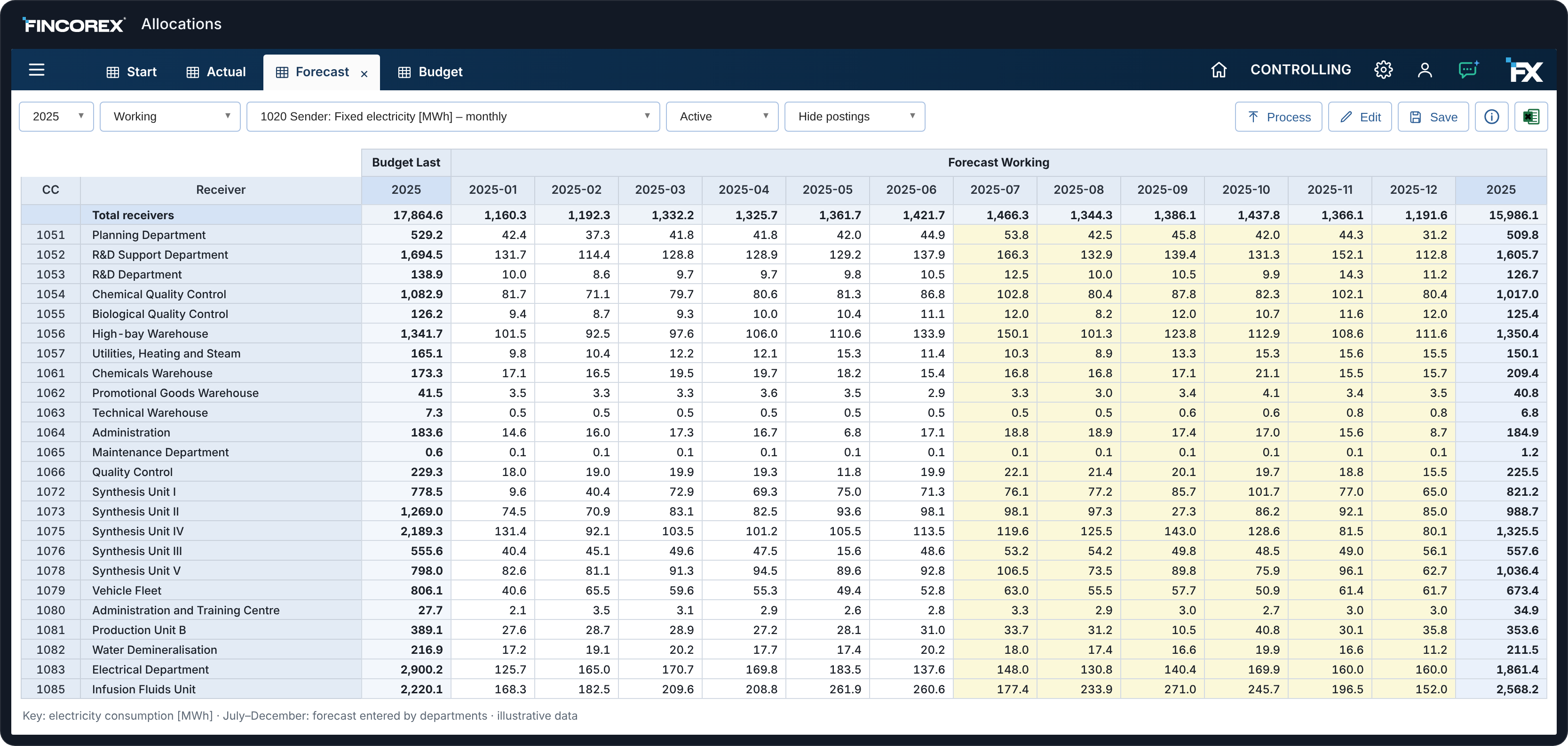
Departments enter their keys in forms instead of Excel.
Support department costs allocated step by step.
One key for the whole year or a different one each month.
Costs after allocation always equal costs before allocation.
See where each cost came from and which key was used.
Unit results with direct costs and after allocation.
Office running costs – PLN 120k a month – are allocated to departments by the floor space they occupy. The key comes from an input form and the model recalculates department costs right away.
PLN · key: floor space · illustrative data
No more collecting allocation keys by email and in Excel. Each department fills in its own form, the controller sees which keys are ready and runs the allocation straight away.
Sample allocation key form for January 2026 · illustrative data.
Set the allocation rules once and apply them to actuals, budget and forecast.
Allocate actual costs after month-end close using the current keys.
Plan unit costs together with allocated costs before the year starts.
Update the forecast with new keys and check the impact on unit results.
Managers see the costs they can influence, while the board sees the full cost of each unit after shared costs are allocated.
Data access according to assigned permissions.
Dashboards and reports on model data.
Data from accounting, ERP and key input forms.
From a cost center cost back to its source and allocation key.
Sample report layout · illustrative data
Any: floor space, headcount, working hours, revenue, units or your own keys. A key can stay the same all year or change every month.
Cost centers, projects, products, customers, sales channels or companies – following the structure of your model.
Yes. You apply the same rules to actuals, budget and forecast, so data versions stay comparable.
Through input forms in Fincorex®. Each department enters its own keys, and the controller sees which keys are ready.
Yes. Allocate support department costs in steps, e.g. IT to departments first, then departments to products.
As a proof of concept, we’ll rebuild your allocations in Fincorex® and show them to you at our next meeting.
Book a demo